 aiFObserve
aiFObserve
aiFObserve
Upload
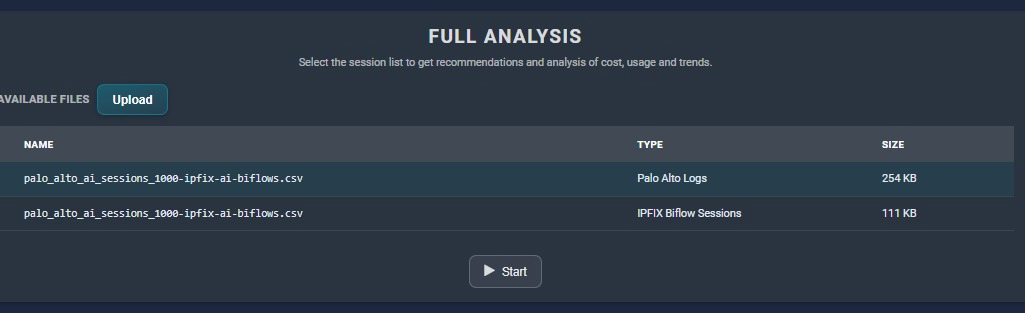
Input
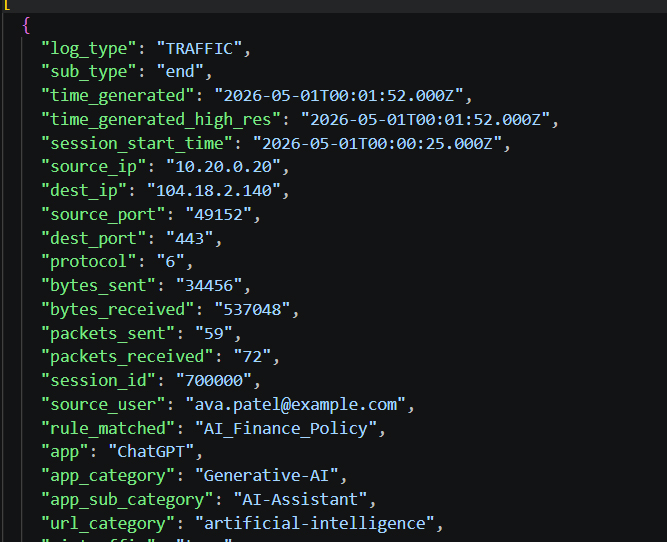
Output
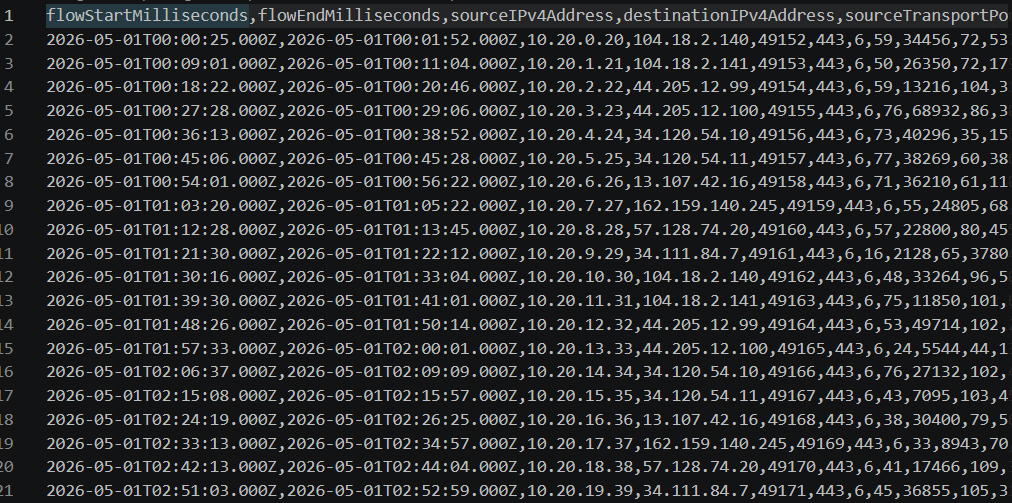
This guide covers two things:
The companion script:
palo_alto_ai_to_ipfix.py
The converter maps Palo Alto traffic log fields into these IPFIX-style biflow columns:
flowStartMilliseconds from session_start_timeflowEndMilliseconds from time_generated_high_res or time_generatedsourceIPv4Address from source_ipdestinationIPv4Address from dest_ipsourceTransportPort from source_portdestinationTransportPort from dest_portprotocolIdentifier from protocolpacketDeltaCount from packets_sentoctetDeltaCount from bytes_sentreversePacketDeltaCount from packets_receivedreverseOctetDeltaCount from bytes_received
Palo Alto traffic log references document fields including:
bytes_sent,
bytes_received,
packets_sent,
packets_received,
session_start_time,
and total_time_elapsed.
For AI session observability, the recommended approach is:
On the security rule allowing AI application traffic:
Actions, select the Log Forwarding profile.Log At Session End for Traffic logs.Log At Session Start only when early visibility is required.
Palo Alto notes that Log At Session Start increases resource usage and log volume, but may be necessary for troubleshooting or short-lived sessions.
Practical collection options include:
SaaS Security Inline visibility requires forwarding Traffic and URL logs to Strata Logging Service.
Ensure exported logs contain at least:
log_type and sub_typesession_idsource_ip and dest_ipsource_port and dest_portprotocolbytes_sent and bytes_receivedpackets_sent and packets_receivedsession_start_timetime_generated or time_generated_high_restotal_time_elapsedapprule_matchedsource_userurl_categoryIf available, also include:
ai_trafficai_fwd_errorapp_categoryapp_sub_categoryThese fields improve AI-session identification.
SaaS Security Inline requires:
PAN-OS 11.2 ACE settings provide:
Enable Additional HTTP Header LoggingEnable Session TrackingSession tracking improves user-account-level granularity for supported SaaS applications.
Traffic HTTPS fields include:
AITraffic mapped to ai_trafficAIFwdError mapped to ai_fwd_errorIf exported logs include these fields, they provide the highest-confidence signal that traffic is AI-related.
For Prisma AIRS AI Runtime Security:
AI Security Profile.Custom Model Support if protecting custom model endpoints.AI Security logs are threat-centric and complement Traffic logs but do not replace Traffic logs for biflow/session analytics.
Prisma Access follows the same SaaS visibility approach:
Panorama is used for:
Without Strata Logging Service, Panorama deployments should use Threat logs with subtype ai-security.
Log At Session End on those rules.Log At Session Start only where needed.Example with exported CSV:
python .\palo_alto_ai_to_ipfix.py .\traffic_export.csv
Example with exported JSON and extra keywords:
python .\palo_alto_ai_to_ipfix.py .\traffic_export.json --keyword "azure-openai" --keyword "vertex-ai"
Example to keep every traffic session:
python .\palo_alto_ai_to_ipfix.py .\traffic_export.csv --include-non-ai
Log At Session Start can significantly increase log volume.ai_traffic is present.